
PostBox Pro Demo
PostBox Pro is a powerful form builder for Joomla 5 and 6. It extends the free PostBox component with multi-page forms, conditional field logic, file uploads, a submission review step, and auto-save — with no jQuery and no third-party dependencies.
Key Features
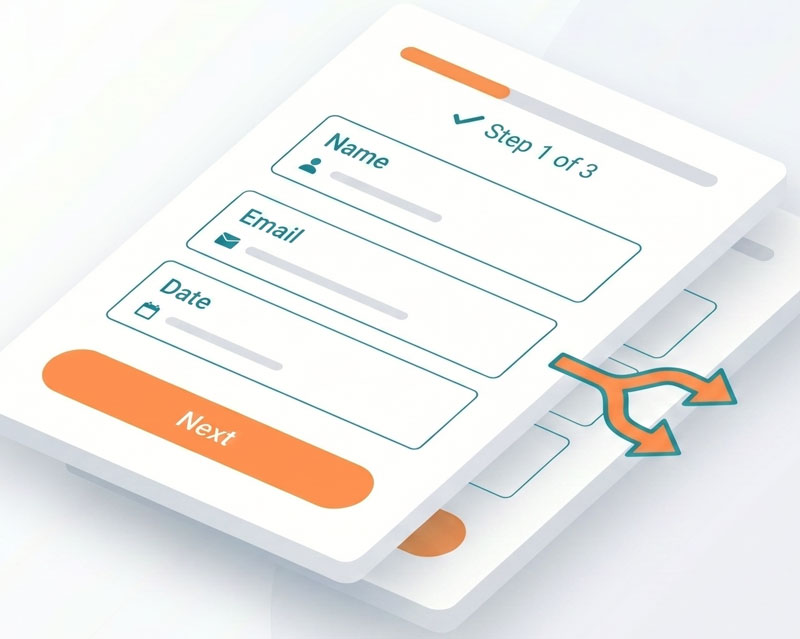
- Multi-page forms — split forms into steps with Page Break fields, per-page validation, and a progress bar
- Conditional field logic — show or hide fields based on other field values using a visual AND/OR rule builder
- File uploads — accept attachments with configurable allowed types and size limits per form
- Summary / review step — let visitors review their answers before final submission
- Auto-save — saves form progress to browser storage so visitors can resume if they navigate away
- Twelve field types — including number, date, telephone, URL, file upload, and HTML content blocks
- AJAX submission — inline validation and no page reload on submit
- Email notifications — customisable templates with
{field_name}placeholders and targeted auto-reply - Spam protection — honeypot, IP rate limiting, and optional hCaptcha or Cloudflare Turnstile
- GDPR compliance — consent checkboxes, data retention periods, and automated submission purge
- Submissions manager — filter, search, bulk actions, and CSV export
- Import from PostBox free — migrate existing forms and submissions in one step
- No dependencies — vanilla PHP, no jQuery, no Bootstrap in the output
Demo Login
Admin URL
https://demo.thedesigncompany.co.nz/administrator/index.php?option=com_postboxpro&view=dashboard
Username
demo
Password
demo#1234
Getting Started
Viewing the Demo Forms (Front-end)
- Click View Demo above to see the PostBox Pro demo forms on the front end
- Try the multi-page form — fill in the first page and click Next to advance; notice the progress bar updating and per-page validation preventing you from skipping required fields
- Try the conditional logic form — change a dropdown or radio field and watch other fields appear and disappear instantly based on your selection
Admin Dashboard
- Click Open Admin Panel and log in with the demo credentials
- Go to Components → PostBox Pro to see the dashboard — total forms, total submissions, and unread submission count
Creating a Form
- Go to Components → PostBox Pro → Forms and click New
- Enter a title and optionally a description, then configure email notifications on the Email Notification tab
- Save the form, then click Manage Fields to add fields
- Click New to add a field — choose a type, enter a label, and set whether it is required
- To create a multi-page form, add a Page Break field between the field groups for each page
Setting Up Conditional Logic
- Open any field for editing from the field list
- Scroll to the Conditional Logic section and click Add Rule
- Select the field to watch, choose an operator (equals, does not equal, is not empty, is empty), and enter a value
- Choose whether All rules must match or Any rule must match, then save the field
- Preview the form on the front end — the field will be hidden until its conditions are met
Viewing Submissions
- Go to Components → PostBox Pro → Submissions
- Use the filters to narrow submissions by form, read status, or date range
- Click a submission to view the full field data and metadata — it will be automatically marked as read
- Select multiple submissions in the list and use the toolbar to mark read, mark unread, delete, or Export CSV
Configuring Options
- Go to Components → PostBox Pro and click Options in the toolbar
- Under Captcha Settings, select hCaptcha or Cloudflare Turnstile and enter your site and secret keys
- Under Rate Limiting, adjust the maximum submissions per IP and the time window
- Under GDPR / Data Retention, set a default retention period for new forms
- Save and return to the form editor to enable captcha on individual forms via the Spam & GDPR tab